
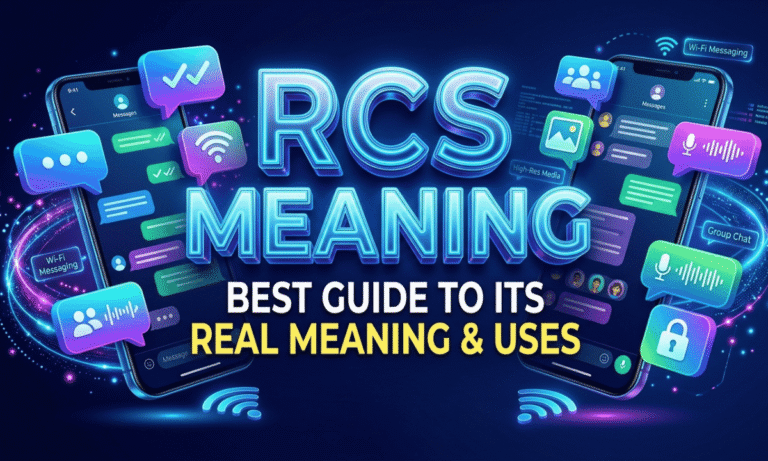
RCS meaning is simple: it stands for Rich Communication Services, a modern upgrade to old SMS texting. If your phone suddenly shows “Chat features” or typing dots, RCS is the reason.
Still, many people feel confused. Is it an app? Is it like iMessage? Why do some bubbles look green while others look blue? These are fair questions, and the answers are easier than you think.
This guide explains the real meaning, the history, and the other uses of the acronym. You will also learn how to reply when someone says “turn on RCS.” Everything here uses plain words and real examples, so you can follow it in minutes, even if you are not into tech. Let’s start.
RCS Meaning in Texting at a Glance
RCS stands for Rich Communication Services. It is a messaging standard that upgrades SMS.
Instead of using the old carrier signal, RCS sends messages over mobile data or Wi-Fi. That one change unlocks many extra features.
Here is what RCS adds to a normal text thread:
- Read receipts
- Typing indicators
- High-quality photos and videos
- Better group chats
- Emoji reactions
- Messages longer than 160 characters
- Easy file sharing
- Optional end-to-end encryption
Think of it as SMS 2.0. You still use your default messaging app. You just get a smarter chat.
Here is the basic flow. Your phone checks if the other person also has RCS. If yes, the message travels as data through your carrier’s or Google’s RCS servers. If not, it goes out as a normal SMS.
This quiet check happens every time you hit send. You do nothing extra. That automatic fallback is why the RCS meaning is easy to ignore, yet very useful.
Simple Examples
Here are short lines you may hear in daily life:
- “I saw you typing on RCS.”
- “Your message was delivered via RCS.”
- “Turn on RCS chat in your settings.”
- “That photo looks sharp because we are on RCS.”
- “Is RCS on? My texts keep falling back to SMS.”
In each case, RCS means chat-style texting inside your normal messages app.
Origin & Background of RCS
The GSM Association (GSMA) introduced the RCS idea around 2007. Telecom companies wanted a modern answer to the rise of chat apps.
At that time, SMS was limited to 160 characters. MMS was slow and often blurred photos. Meanwhile, apps like WhatsApp were growing fast.
For years, RCS moved slowly. Each carrier built its own version, so phones could not talk to each other well.
Google changed that. It added RCS to its Messages app and pushed carriers toward the shared GSMA Universal Profile. Samsung joined the effort, and the two companies worked to make their messaging apps compatible.
Apple came later. iPhones gained RCS support with iOS 18, which improved texting between iPhone and Android.
Here is a short timeline:
- 2007: GSMA introduces the RCS idea.
- 2018: Google and Samsung work together on compatible RCS messaging.
- 2020: Google Messages turns on end-to-end encryption for Android-to-Android RCS chats.
- 2024: iPhones gain RCS support with iOS 18.
- 2026: Encrypted iPhone-to-Android RCS begins rolling out in beta.
Then, on May 11, 2026, Apple and Google began rolling out end-to-end encrypted RCS between iPhone and Android. It is still labeled a beta. It needs iOS 26.5, the latest Google Messages, and a supported carrier.
That is why the RCS meaning matters more today than ever. It is no longer an Android-only feature.
What Does Text Message RCS Mean and Why Is It Green?
On an iPhone, an RCS chat shows a green bubble. Blue bubbles are reserved for iMessage between Apple devices.
Green only tells you the chat is not iMessage. It does not mean the message is weak or broken.
Here is a quick way to read the colors:
- Blue bubble: iMessage, Apple to Apple.
- Green bubble labeled “RCS Message”: an upgraded chat with typing dots and read receipts.
- Green bubble labeled “Text Message”: plain SMS or MMS.
Check the text box. If it says “RCS Message,” you are on the upgraded chat. A small lock icon means the chat is encrypted.
On Android, Google Messages usually shows “RCS” or “Chat” wording instead.
Some chats stay green for a long time. That is normal. Apple keeps blue bubbles for its own service. So the RCS meaning on iPhone is about better green chats, not blue ones.
RCS Meaning in WhatsApp
Here is a common mix up. RCS and WhatsApp are two separate things.
WhatsApp is a standalone app with its own servers. RCS lives inside your default messages app and uses your phone number.
So if you search for RCS meaning in WhatsApp, the honest answer is this: there is no link. They only look alike because both show typing dots and read ticks.
RCS Meaning in Medicine
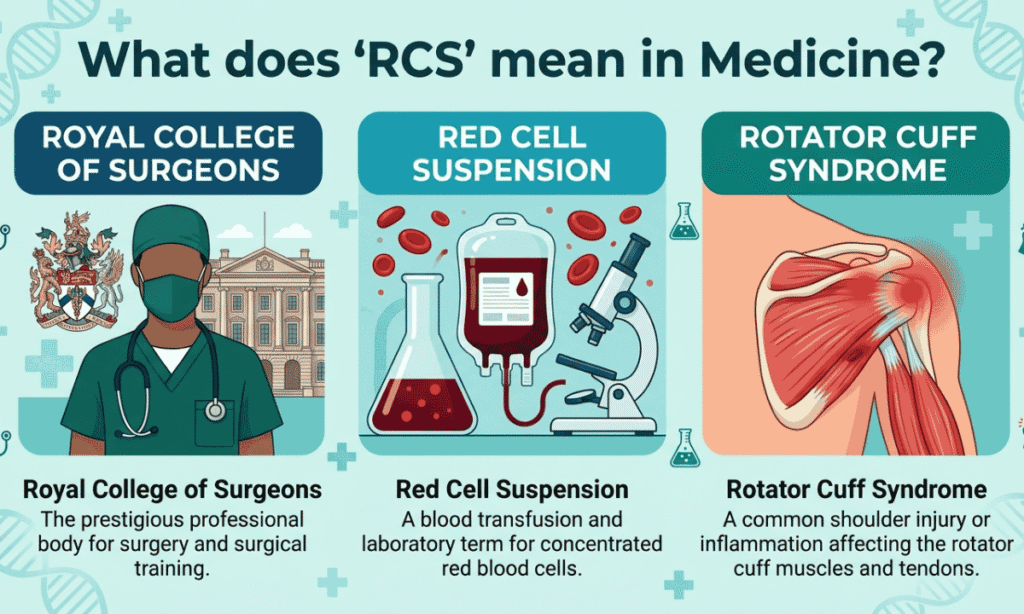
In healthcare, the letters RCS point to different terms. None of them relate to texting.
The most common one is the Royal College of Surgeons, a professional body for surgeons. Another is “right coronary sinus,” an anatomy term used in heart imaging.
Medical abbreviations change by hospital and specialty. If a report uses RCS and you are unsure, ask your doctor.
RCS Meaning in Government

Government offices use RCS in record-keeping and reporting. Two forms are common:
- Records Control Schedule: a document that tells an agency how long to keep records and when to dispose of them.
- Reports Control Symbol: a code given to official reports, mostly in defense and federal offices.
Context is everything here. A file name or form header usually makes the meaning clear.
RCS Meaning in Gaming
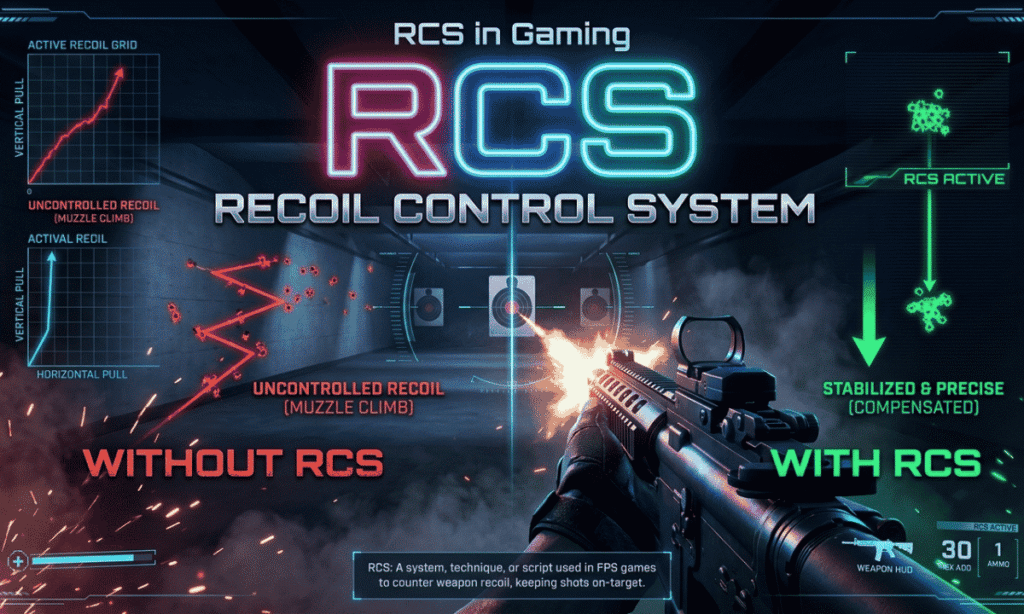
Gamers use RCS in two main ways:
- Reaction Control System: the small thrusters that turn a spacecraft in space games like Kerbal Space Program.
- Recoil Control System: a term for managing gun recoil in shooter games.
Be careful with the second one. In some communities, it is linked to cheat tools, which can get your account banned.
RCS Meaning on Samsung Phones
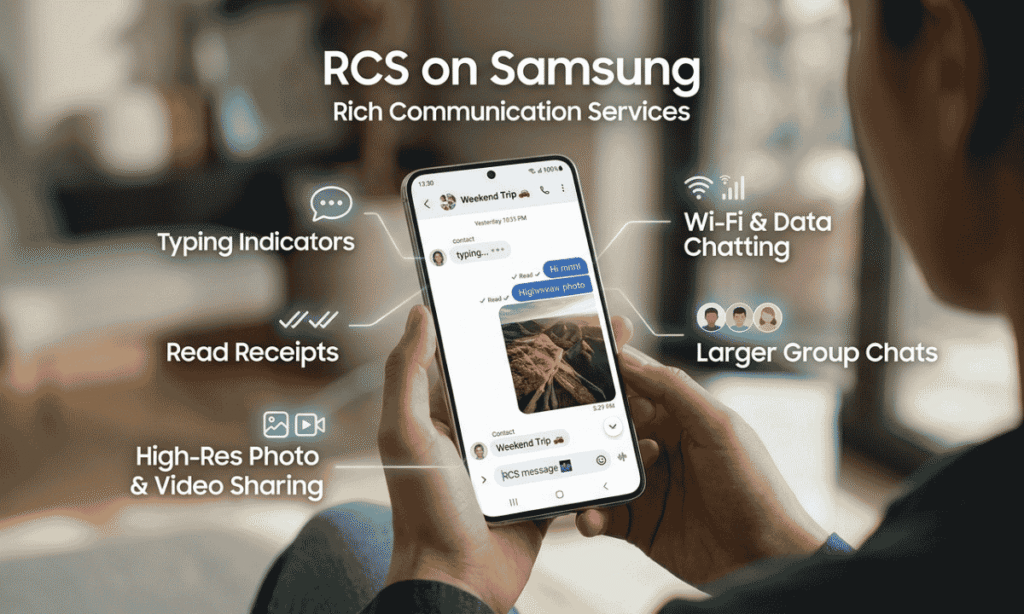
Samsung phones support RCS through the default messaging app. Many newer Galaxy phones use Google Messages, while older ones use Samsung Messages.
Both can run RCS when chat features are switched on. Open the app, go to Settings, and look for “Chat settings” or “RCS chats.”
Menu names differ by model and app version. Your carrier must also support RCS.
To turn on RCS in Google Messages, follow these steps:
- Open the Google Messages app.
- Tap your profile picture and open Messages settings.
- Select “RCS chats.”
- Switch on the RCS chats option.
- Wait until the status shows “Connected.”
On an iPhone, open Settings, go to Messages, and look for “RCS Messaging.”
Real-Life Conversations (How People Actually Use RCS)
RCS shows up in everyday chats in small ways. Here are three typical moments.
WhatsApp-Style Chat (But in Default Messages App)
Ali: Why does my message box say “Chat” now?
Sara: That is RCS. We are texting over the internet.
Ali: So it works like WhatsApp?
Sara: Similar feel, but it uses your normal number and your normal messages app.
Instagram DM Conversation
Hina: Your wedding photos look so clear in our texts.
Zain: Thanks. RCS does not squash the quality like old MMS did.
Hina: Finally. No more blurry pictures.
Text Message Between Friends
Bilal: I saw your typing dots vanish, lol.
Omar: Yeah, I wrote three replies and deleted them all.
Bilal: RCS exposed you.
These tiny signals, like dots and “Read” labels, change how a chat feels.
They also explain why people talk about RCS so much. A plain text used to feel silent. Now it feels like a live conversation.
Emotional & Psychological Meaning
RCS is more than a technical upgrade. It changes how people behave in conversations.
When you see “Read,” “Delivered,” or “Typing…,” you gain a bit of awareness. You know the other person is present.
That can make people feel:
- More connected
- More involved in the chat
- More accountable for replying
The RCS meaning also carries a social side. Fast replies, visual sharing, and open signals are now normal.
But there is pressure too. If someone reads your message and stays silent, you notice. That small gap can create stress.
The fix is simple. Agree on expectations with close contacts, and use read receipt settings when you need space.
Here are a few tips for healthier chatting:
- Turn off read receipts when you need quiet time.
- Don’t treat a “Read” label as an insult.
- Say so when you will reply late.
- Move serious topics to a phone call.
Understanding the RCS meaning helps you read these signals fairly, not personally.
Usage in Different Contexts
RCS fits different situations in different ways. Let’s look at the main ones.
1. Social Media & Casual Chats
Friends use RCS for sharing photos, voice notes, and group plans. It feels natural and informal.
Typical uses include:
- Sending full-quality pictures
- Reacting to messages with emoji
- Running group chats without app switching
2. Friends & Relationships
RCS adds emotional signals to a relationship. Lines like “I saw you typing” are now common.
That can build closeness. It can also raise expectations around reply speed. Healthy couples and friends talk about it openly.
3. Work or Professional Settings
Inside offices, people still lean on email, Slack, and WhatsApp Business. RCS is less common for internal teamwork.
However, brands use RCS Business Messaging (RBM) to reach customers. Messages can show a verified name, a logo, and tap-to-act buttons. Think delivery updates, appointment reminders, and booking links.
Common business uses include:
- Order and delivery updates
- Appointment reminders
- Verified sender names and logos
- Tap-to-reply buttons
- Booking and payment links
For businesses, this RCS meaning is about richer, branded conversations.
Casual vs Serious Tone
Tone changes with the setting.
- Casual: “Bro, switch on RCS. The pictures look better.”
- Serious: “Please enable RCS chat features for better media sharing.”
Match your tone to the person you are speaking with.
Common Misunderstandings
Many people misread the RCS meaning. Let’s fix the biggest myths.
RCS is not an app
RCS works inside your default messaging app. You do not download a separate program for it.
RCS is not WhatsApp
It needs no extra account. It runs on your phone number, not a WhatsApp profile.
RCS does not always work
Both people need RCS support. Carriers and devices also matter. If one side lacks it, the chat falls back to SMS. Look for the “RCS Message” label in the text box before you rely on the extra features.
It doesn’t work without internet
RCS needs mobile data or Wi-Fi. Without a connection, your phone usually sends a normal text instead.
Comparison Table
This table shows how RCS stacks up against other options:
| Feature | RCS | SMS | iMessage | |
| Internet required | Yes | No | Yes | Yes |
| Read receipts | Yes | No | Yes | Yes |
| Typing indicator | Yes | No | Yes | Yes |
| Separate app needed | No | No | Yes | No (Apple only) |
| Media quality | High | Low | High | High |
| Encryption | Yes, in supported chats | No | Yes | Yes |
| Works Android to iPhone | Yes | Yes | Yes | No |
Key Insight:
RCS sits between old SMS and full messaging apps. It modernizes texting without a new platform or account.
That is the practical RCS meaning for most people. Better texts, same number, same app.
One note on the table: encryption depends on the apps and carriers on both ends. Look for the lock icon to confirm it.
Variations / Types of RCS
The standard is one, but people use many related terms. These are the most common:
- RCS Chat: active internet-based messaging between two supported users.
- RCS Messaging: the general term for sending messages through the RCS protocol.
- RCS Business Messaging (RBM): branded, interactive messages from companies.
- Chat Features: Google’s friendly name for switching RCS on.
- Enhanced SMS: an informal nickname for RCS.
- RCS Enabled: a status showing the feature is active on your phone.
- Universal Profile: the GSMA standard that lets carriers and apps work together.
- Carrier RCS: a version provided directly by a mobile operator.
- End to End Encrypted RCS: private chats that only the sender and receiver can read.
The RCS meaning stays the same in all of them. Only the label changes.
How to Respond When Someone Uses It
Not sure what to say? Use these ready replies.
Casual Replies
- “Oh nice, we are on chat mode now.”
- “Finally, better texting.”
- “Cool, my photos will look sharper.”
Funny Replies
- “Please don’t watch my typing bubbles.”
- “RCS just exposed my overthinking.”
- “Great, now you can see me panic-type.”
Mature / Confident Replies
- “Yes, RCS improves media quality.”
- “It makes everyday communication smoother.”
- “I like that it works with my normal number.”
Private / Respectful Replies
- “If you prefer, we can turn off read receipts.”
- “Let me know if you are comfortable using it.”
- “I’ll reply when I can, no pressure.”
Regional & Cultural Usage
Availability depends on your country, carrier, and phone. The RCS meaning is the same worldwide, but access is not. Habits also differ by region.
Western Culture
In the US and Europe, people often compare RCS to iMessage. Android users see it as a way to level the playing field.
With iPhone support now in place, cross-platform chats feel far less clunky.
Asian Culture
Apps like WhatsApp, LINE, and WeChat dominate many Asian markets. People already have a chat habit.
RCS adoption is slower there, but it is growing where Android use is strong.
Middle Eastern Culture
Messaging apps are very popular across the region. Many users stay with them for daily talk.
Still, telecom providers are pushing RCS, mainly for business messages and customer alerts.
Global Internet Usage
Worldwide, people view RCS in three ways:
- The future of SMS
- A bridge between carriers and internet messaging
- An open rival to closed messaging systems
In short, the RCS meaning is global, while the rollout is local. Check with your carrier to see what your phone supports.
Frequently Asked Questions
What is the RCS meaning in texting?
RCS stands for Rich Communication Services. It is an upgraded version of SMS with chat-style features.
Is RCS better than SMS?
Yes. It offers read receipts, typing indicators, bigger files, and sharper photos.
Does RCS cost money?
RCS uses mobile data or Wi-Fi. Your normal data charges may apply.
Does RCS work on iPhone?
Yes. iPhones support RCS from iOS 18 onward, if your carrier supports it too.
Is RCS secure?
It can be. Chats between Google Messages users are end-to-end encrypted. Encryption between iPhone and Android is in beta and needs iOS 26.5, the latest Google Messages, and a supported carrier.
How do I turn on RCS?
Open your messaging app settings and switch on RCS chats or chat features. Your carrier must support it.
What is the RCS meaning in business messaging?
It means Rich Communication Services used by brands. Companies send verified, interactive messages with buttons and logos.
Can I turn off RCS?
Yes. Open your messaging app settings and switch off chat features.
Why is my RCS message green on iPhone?
Green means the chat is not iMessage. It can still be a full RCS chat.
Is RCS the same as WhatsApp?
No. RCS lives in your default messaging app and uses your phone number.
Conclusion
So, what is the RCS meaning? It means texting has grown up.RCS turns basic SMS into a faster, richer, and more expressive chat. You get typing dots, read receipts, sharp media, and growing privacy protection.
Outside texting, RCS can also mean a surgeons’ college, a government records schedule, or a game system. Context tells you which one is right.
Keep this RCS meaning in mind and you can read any “turn on RCS” message with confidence. Switch it on, check the lock icon, and enjoy better conversations.
2 thoughts on “RCS Meaning: Best Guide to Its Real Meaning & Uses”